
Profit Calculator — Pricing Items with Markup or Margin
What it does: The Profit Calculator works out the right selling price for an item based on what it costs you and how much profit you want to make on top — either as a Markup (a percentage added to cost) or a Margin (a percentage of the final selling price).
Step 1 — Open Your Tools
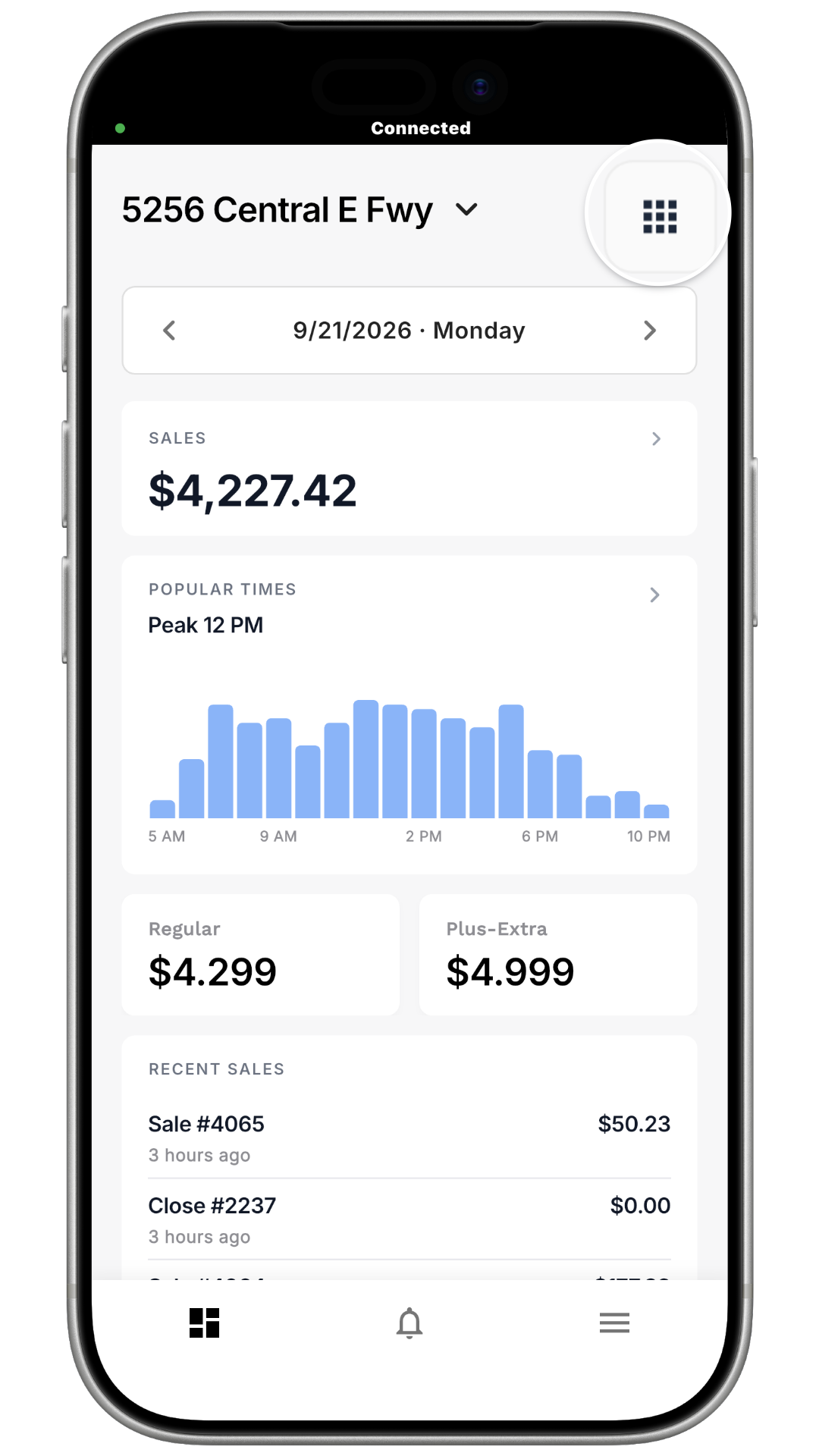
From the home screen, tap the grid icon in the top-right corner.
Step 2 — Tap Profit Calculator
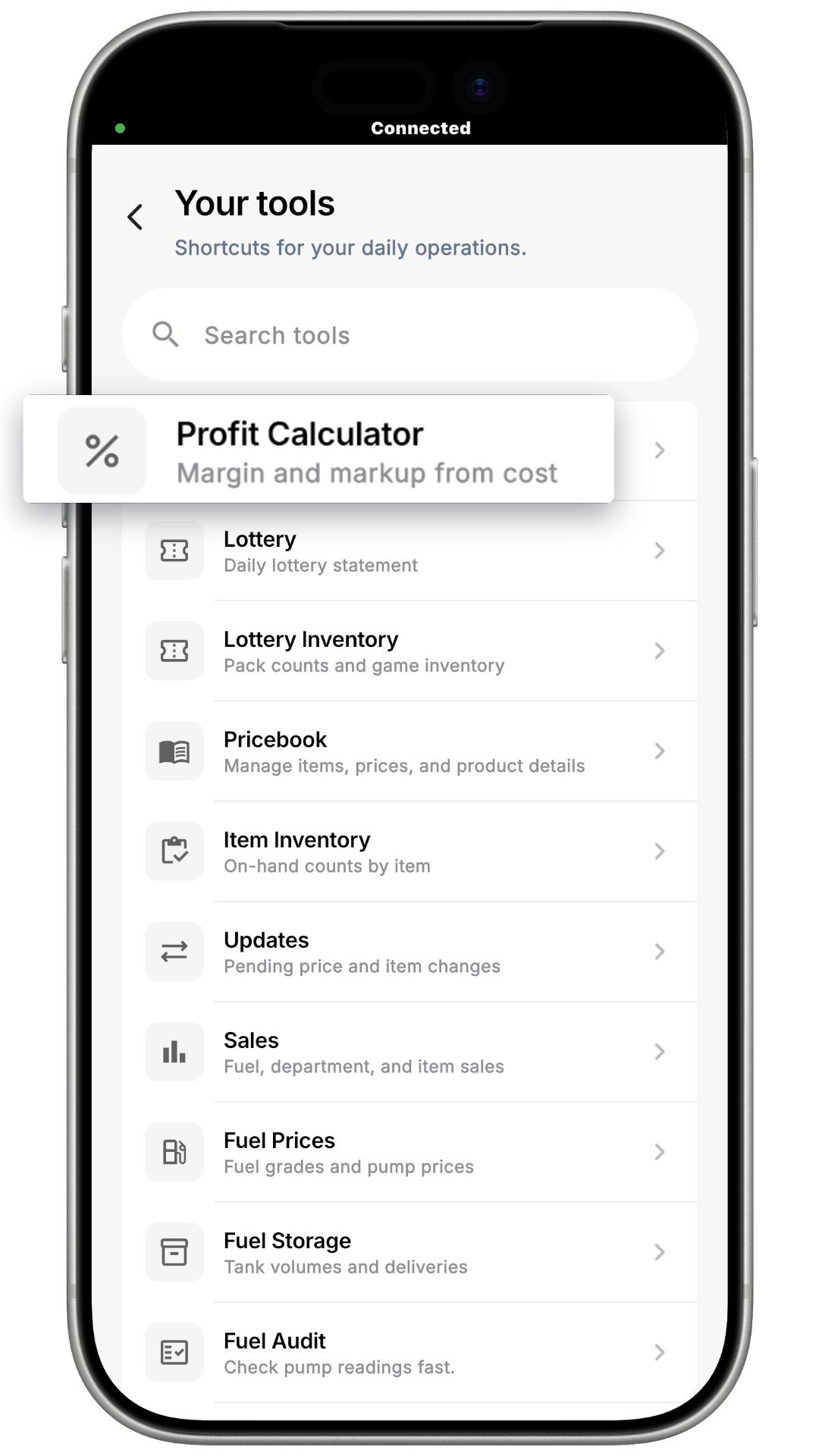
In Your Tools, tap Profit Calculator — it's the first item on the list ("Margin and markup from cost")
Step 2 — Tap Profit Calculator
In Your Tools, tap Profit Calculator — it's the first item on the list ("Margin and markup from cost").
Step 3 — Enter your cost, pick a mode, set your percentage
On the calculator screen:
-
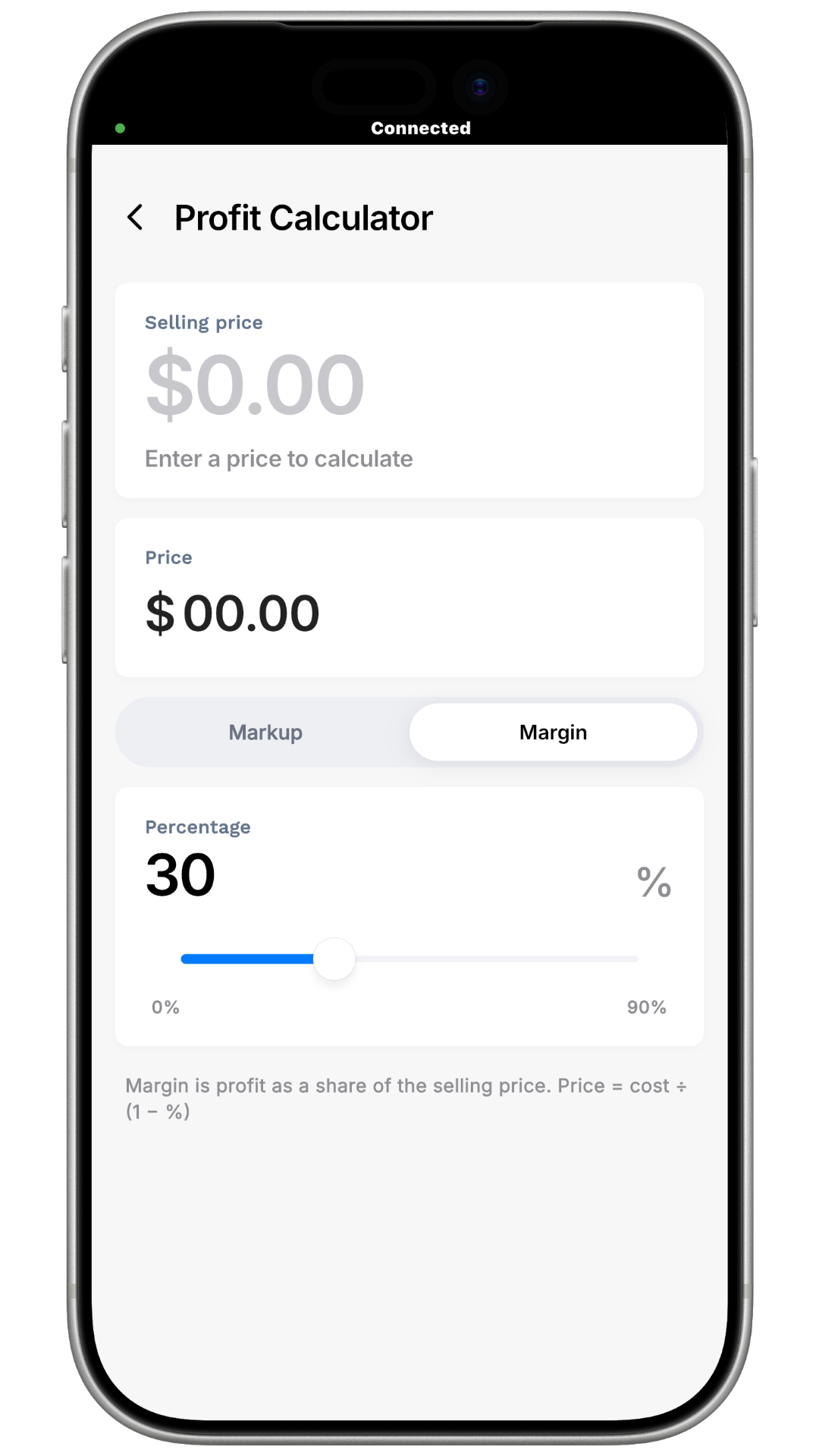
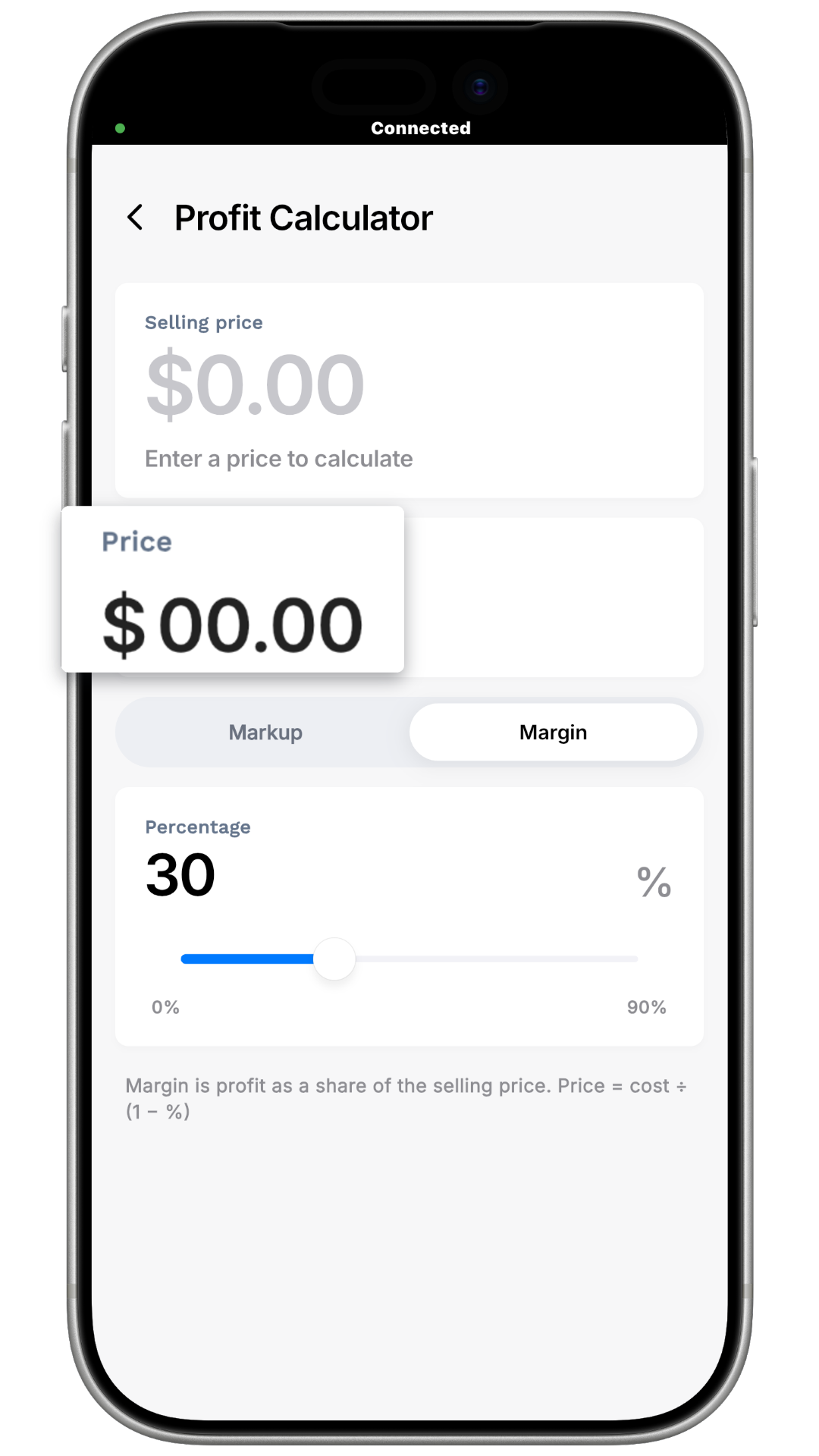
Price — enter what the item costs you.
-
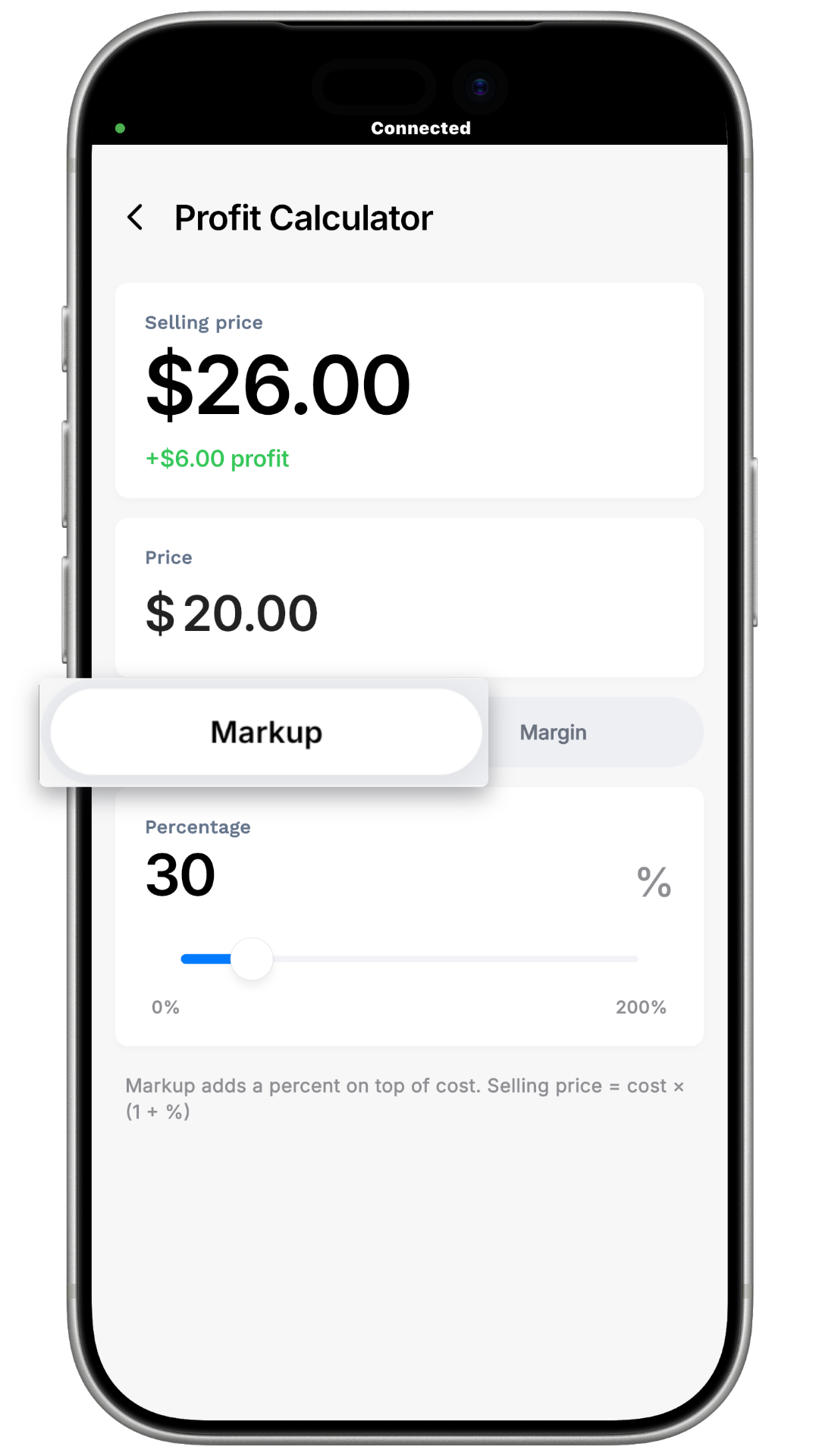
Markup / Margin toggle — choose which pricing method you want to use.
-
Percentage — drag the slider (or type a number) to set your target percentage. Markup allows 0–200%; Margin allows 0–90% (since margin approaches 100% only as price approaches infinity).
Step 4 — Read the result
As soon as you enter a cost, the Selling price card at the top fills in automatically, along with the exact dollar profit you'll make. In the example shown: a $20.00 cost with a 30% Markup gives a selling price of $26.00 (+$6.00 profit).
Step 5 — Compare with Margin mode
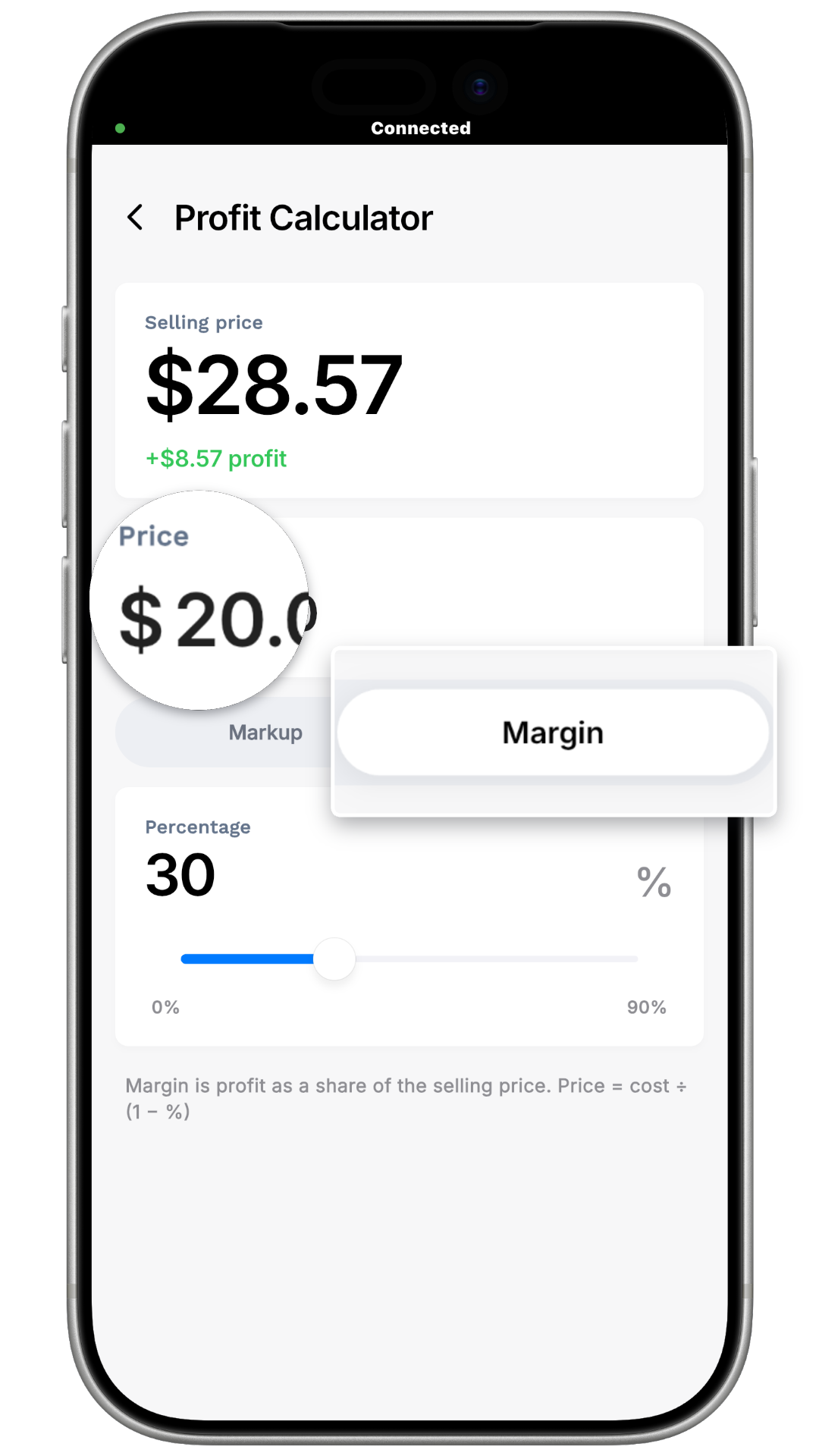
Switching to Margin with the same $20.00 cost and 30% changes the result: selling price becomes $28.57 (+$8.57 profit) — a higher price than Markup for the same percentage, because Margin is calculated differently.
Summary — How Markup and Margin Actually Work
Both modes answer the same question — "what should I charge?" — but they measure the percentage against a different base:
-
Markup adds a percentage on top of your cost.
Formula:Selling price = cost × (1 + %)
Example: $20 cost × (1 + 30%) = $26.00 -
Margin treats the percentage as a share of the final selling price, not the cost.
Formula:Selling price = cost ÷ (1 − %)
Example: $20 cost ÷ (1 − 30%) = $28.57
The key thing to understand: for the same percentage, Margin always produces a higher selling price than Markup. That's because a 30% margin means 30% of the final price is profit — which requires charging more than a 30% markup on cost would. This is a common source of pricing mistakes: a 50% margin is not the same as a 50% markup (a 50% margin actually equals a 100% markup). Understanding which one your business uses to set prices — and which one this tool is calculating — is essential to avoid under- or over-pricing items.