PEXELINK Help Center
Home Website
Home
Categories
Getting Started
  • How to Change Fuel Prices
  • How to Edit an Item in the Pricebook
  • Lottery
  • Lottery Tracking
  • How to Add a New Item
  • Lottery Inventory
  • Fuel Storage
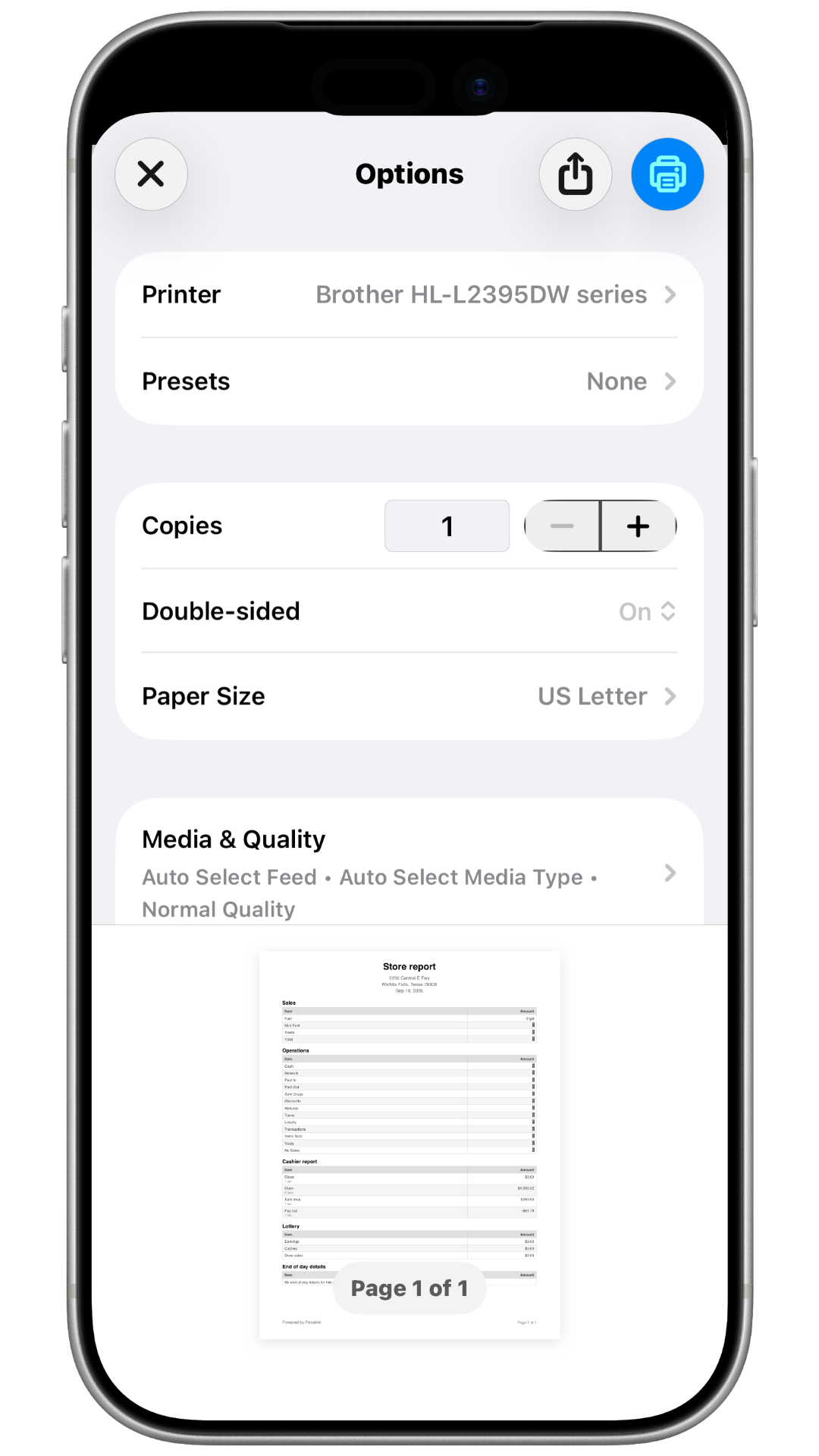
  • How to Print "Sales Report"
Home Getting Started How to Print "Sales Report"

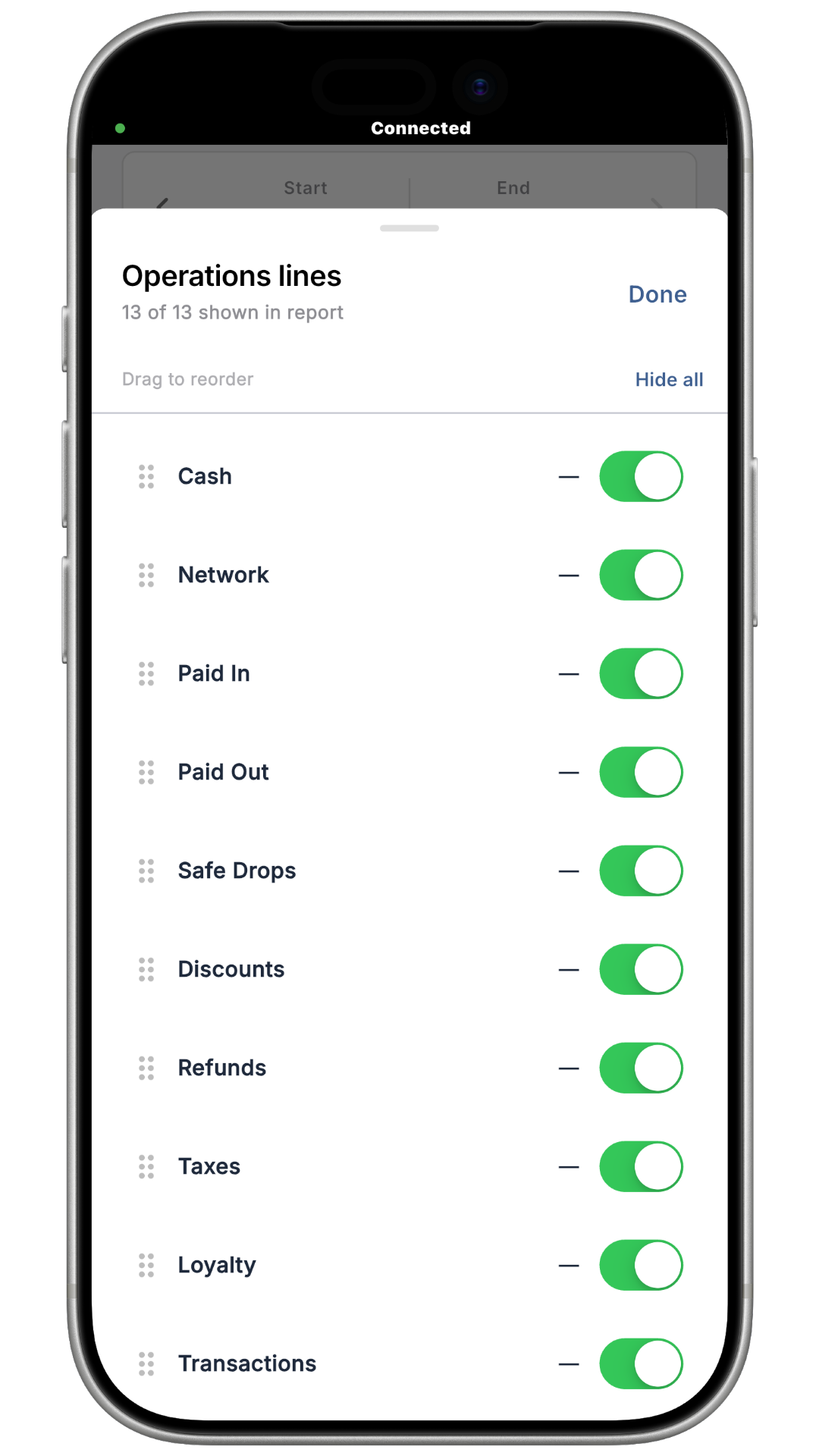
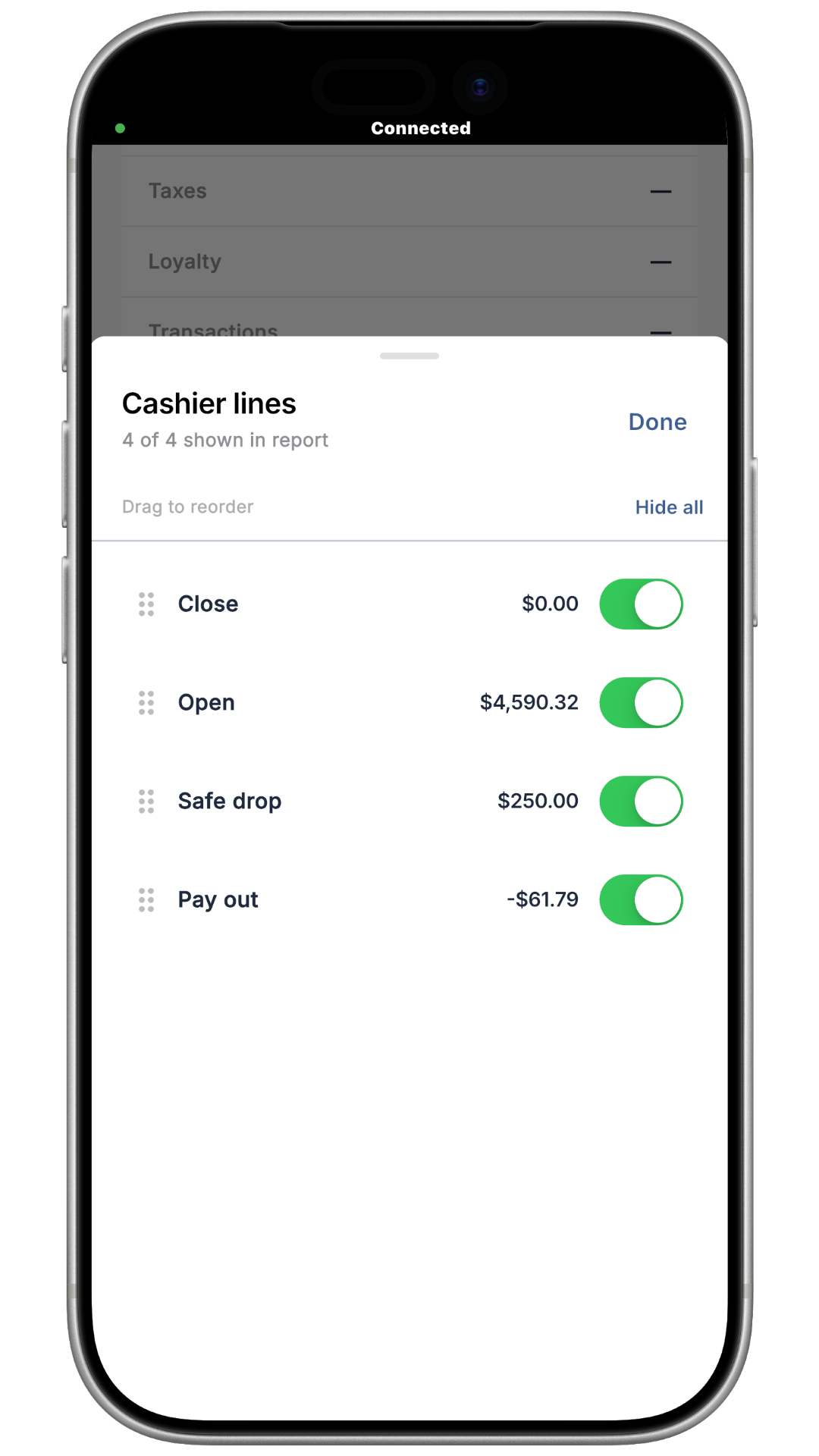
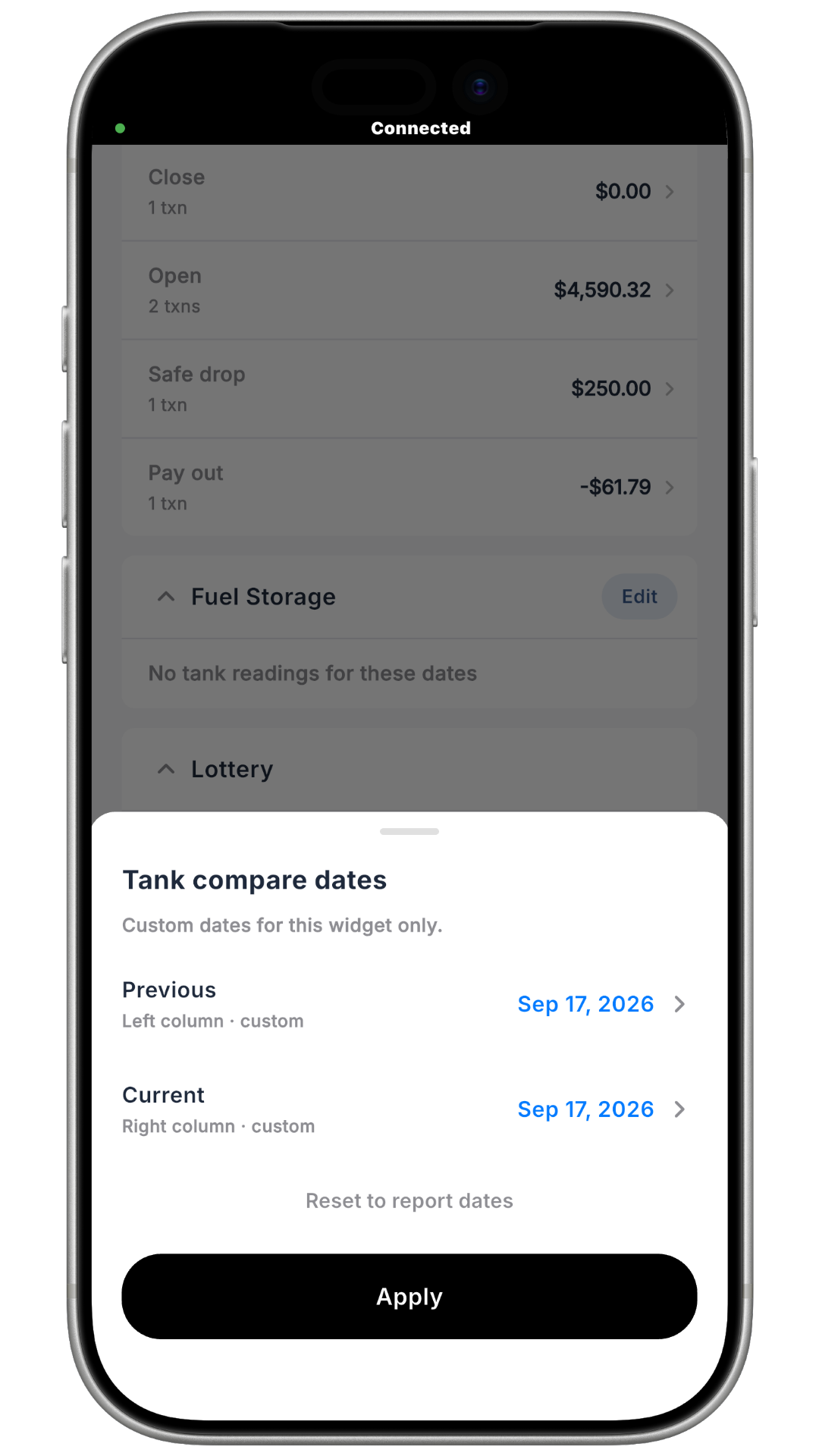
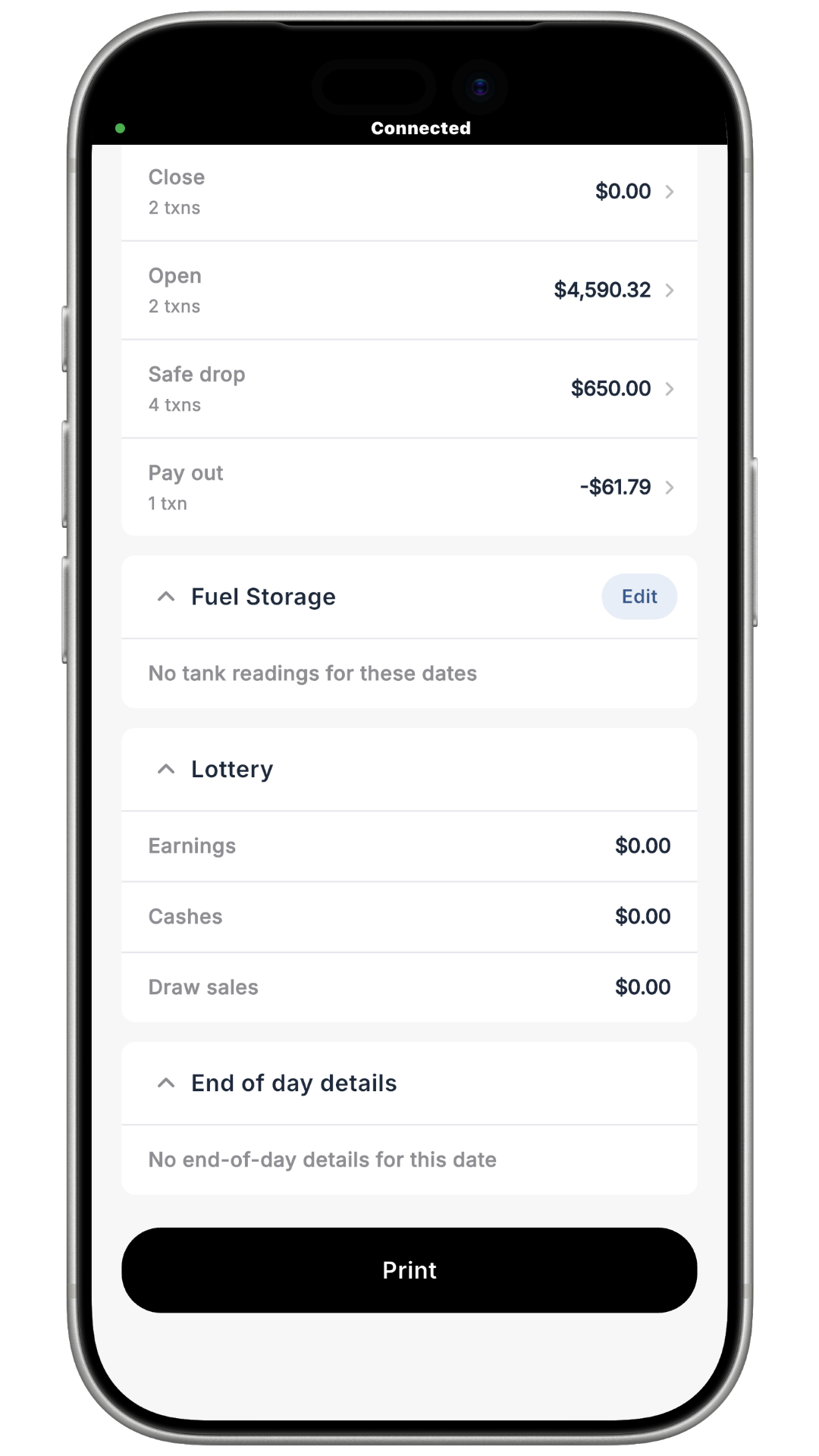
How to Print "Sales Report"

Open in
View as Markdown
Open in ChatGPT Open in Claude
R

Rose A

Last updated on Sep 21, 2026

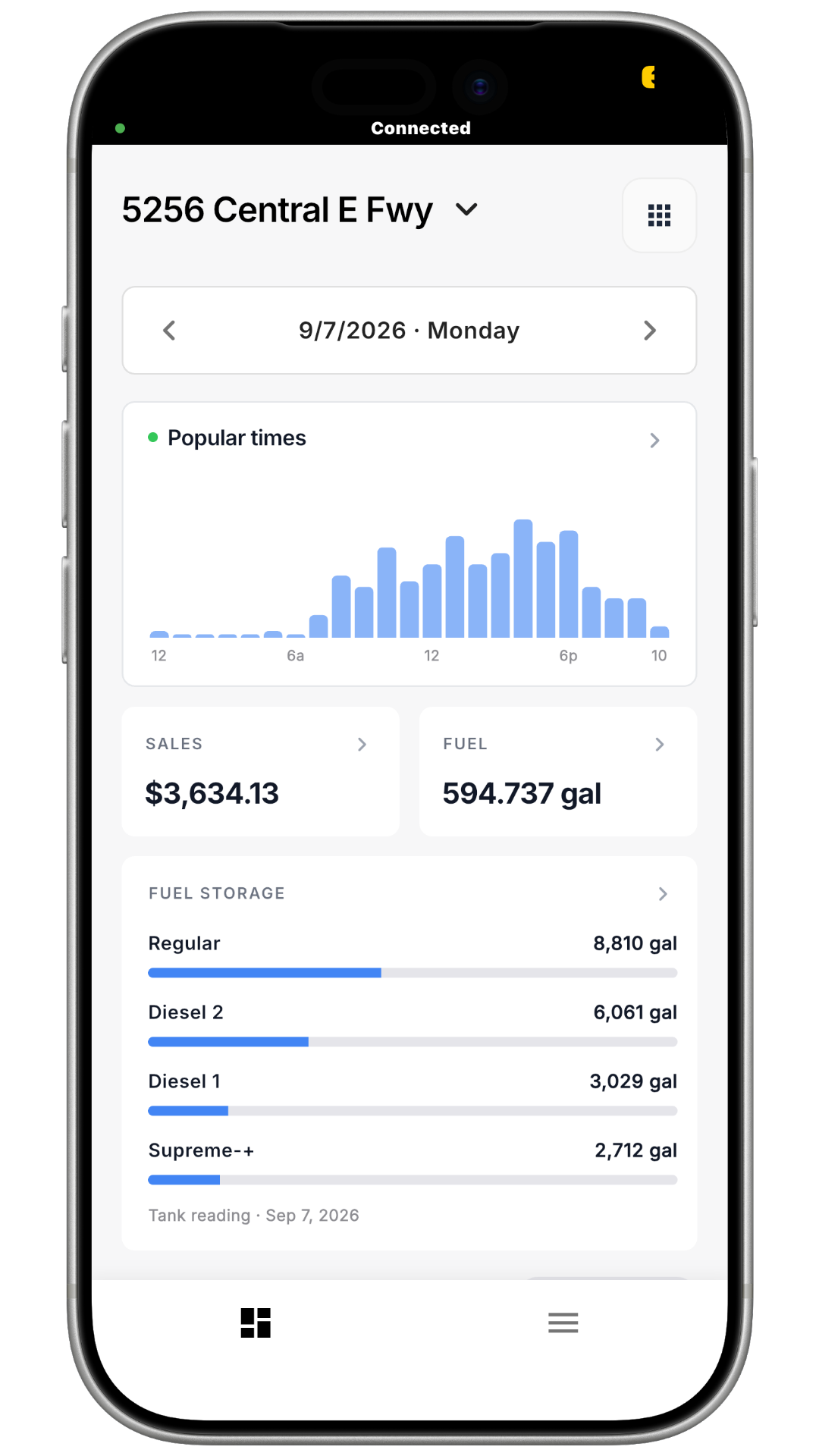
Step 1:


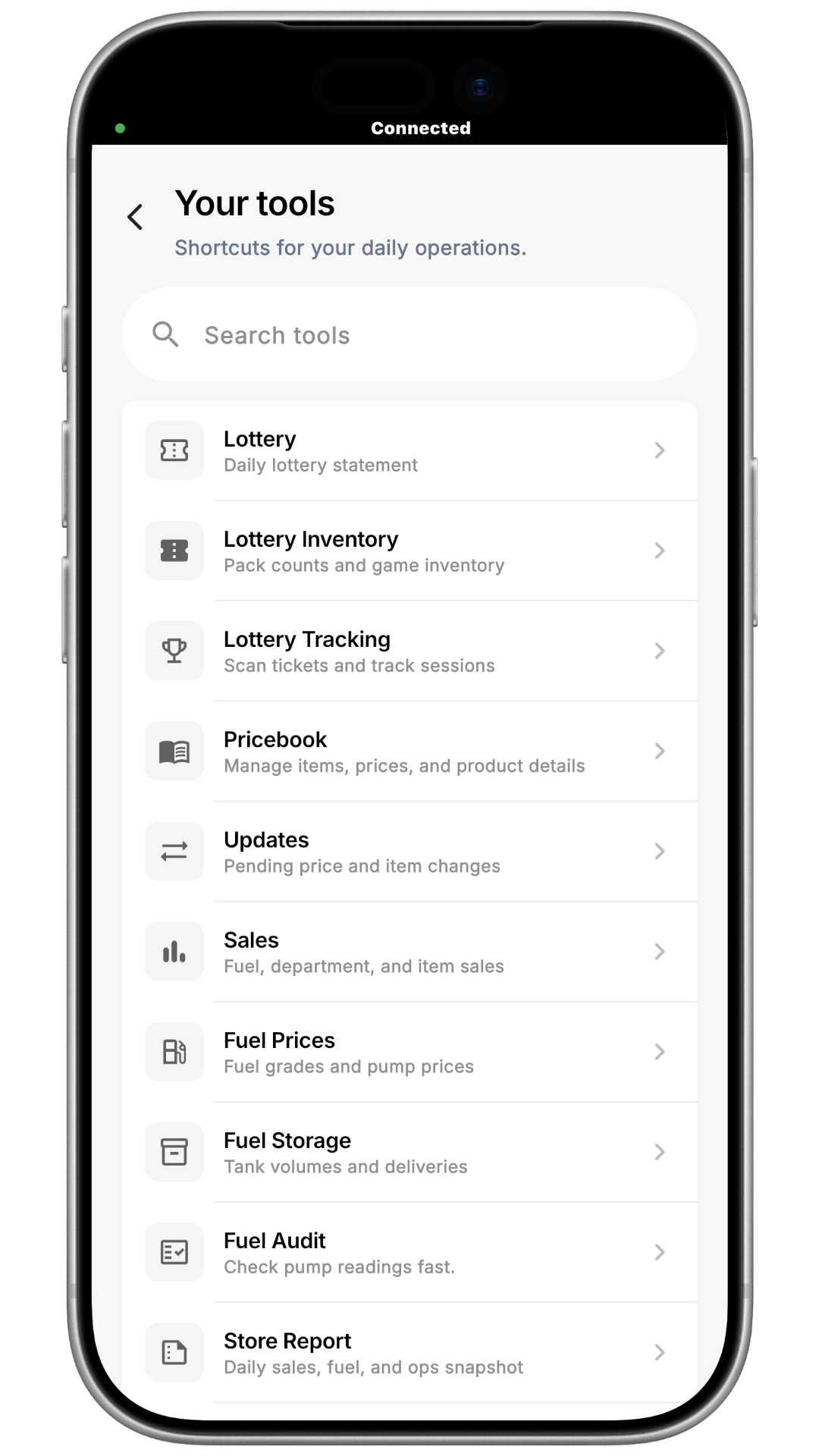
Step 2:

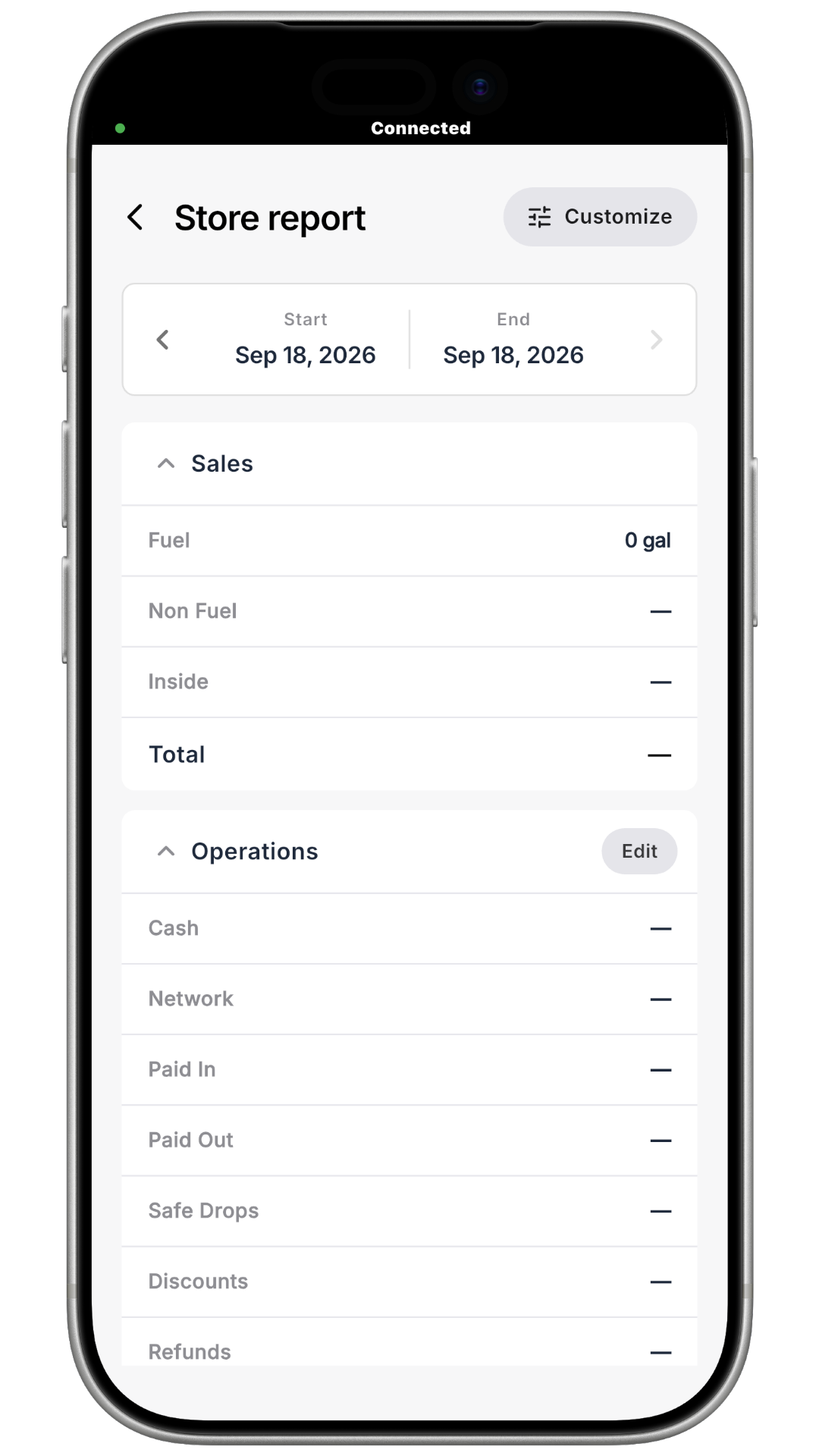
Step 3:

Back to Getting Started
Made with Chatwoot Chatwoot